 Dispatch Autopilot
Car hauler dispatch software that keeps every load on track
Enter a load in seconds, assign the driver and truck, and follow it from pickup to paid. Built by car haulers for small and growing auto transport carriers.
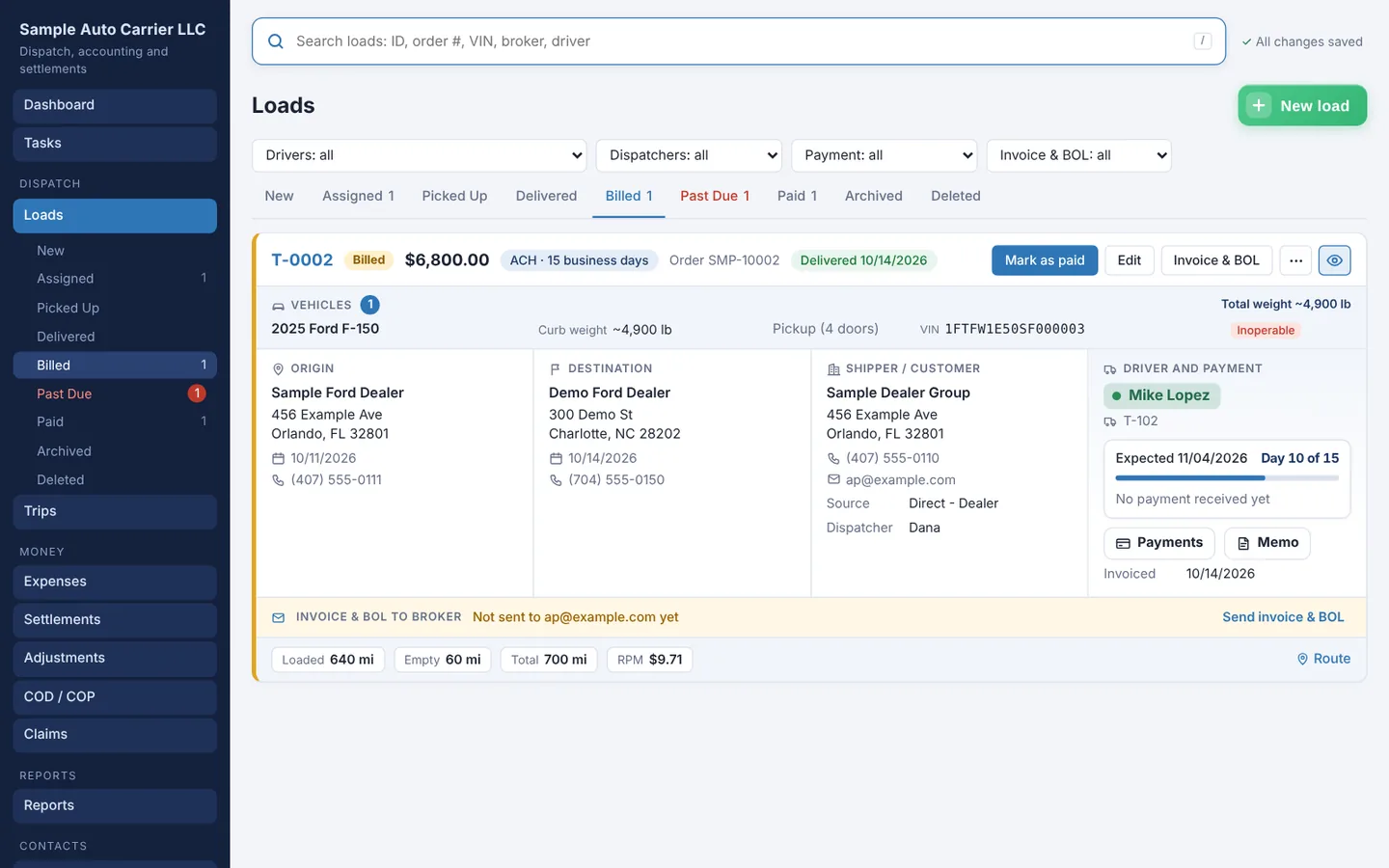
Every load in one place, from new to paid
Car hauling has more moving parts than general freight: several vehicles per load, VINs, pickup and delivery hours at dealers and auctions, COD payments and brokers with different payment terms. Dispatch Autopilot puts all of it on one screen. Loads move through clear stages: New, Assigned, Picked up, Delivered, Billed, Past due and Paid, so you always know what needs attention.
Enter a load in seconds
- VIN lookup: type the VIN and the year, make, model, type and curb weight fill in automatically.
- Pickup and delivery details: addresses with search, contact names and phones, and business hours for each location.
- Broker or customer: pick from your contacts or add a new one, with payment terms and payment method (COD, COP, ACH, check, Zelle or factoring).
- Miles: loaded and empty miles are calculated, so you see the rate per mile before you accept the load.
Know who owes you money
When a load is billed, Dispatch Autopilot counts the business days of the broker's payment terms and moves the load to Past due when the time runs out. The dashboard shows how much is overdue and from whom, so collection calls take minutes instead of an afternoon with a spreadsheet.
Made for the way small carriers work
- Drivers, dispatchers and accounting each get their own login and see only what their role needs.
- Search any load by load ID, order number, VIN, broker, driver or city.
- Works on a computer in the office and on phones in the truck, always in sync.
- Color-coded drivers: give each driver a color so you can tell whose load is whose at a glance.
- Truck and trailer fill in by themselves: assign a truck and trailer to each driver once, and they appear on every load you give that driver.
Internal notes on every load
Press Memo on any load to leave a note for your team: a call with the broker, a changed pickup time, why a payment is short. Each note is signed with the person’s name, their role (dispatcher, accounting or owner) and the exact date and time. Notes are for your office only: they never appear on invoices or BOLs, are never sent to brokers, and drivers do not see them.
Brokers updated without a phone call
When the driver finishes the pickup inspection, the broker and your office get a picked-up email with the time, place, vehicles and a link to the online BOL. At delivery they get a delivered email with the signed BOL attached as a PDF and a link to every pickup and delivery photo.
Questions
Can I use Dispatch Autopilot with Central Dispatch or Super Dispatch loads?
Yes. Dispatch Autopilot is your own dispatch and accounting system. You book loads anywhere you like, then enter them (or their order numbers) in Dispatch Autopilot to plan trips, inspect, invoice and pay drivers.
How many users can I add?
There is no limit. The price is per company, not per driver or dispatcher.
Does it work for one truck?
Yes. Owner-operators use it to keep loads, invoices, expenses and settlements organized, and it grows with you as you add trucks.
Does the broker get notified when a car is picked up or delivered?
Yes. Dispatch Autopilot emails the broker and your office automatically when the pickup inspection is done and again at delivery, with the signed BOL attached. You can turn either email off in Settings.
Run your car hauling business on autopilot
Loads, trips, inspections, invoices and driver pay in one app. Try every feature free for 15 days. No credit card needed.
Start free trial